
Most B2B playbooks make you pick a side. Either you publish content and wait for the right companies to find you, or you build lists and start sending cold emails to people who have never heard of you.
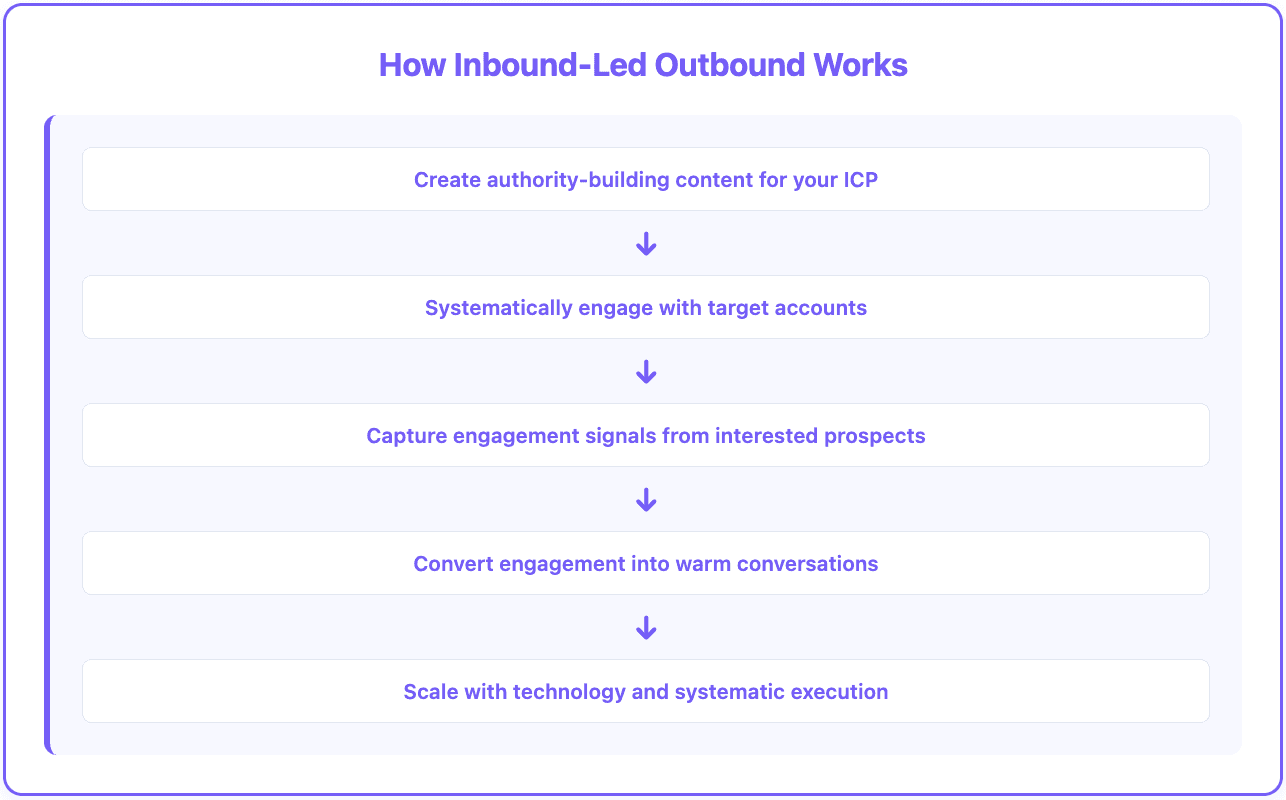
Inbound-led outbound does both, in a specific order. Your executives publish content aimed at a defined list of target accounts. You connect with the people at those accounts, put paid budget behind the posts that work, and record who engages. Then sales reaches out to the engaged accounts, and the first message isn't cold, because the prospect has been seeing your founder's posts in their feed for a month.
Below is a 14-step version of that playbook, split into five phases over roughly 90 days. It's written for a B2B company with a founder or executive willing to post on LinkedIn and a target account list in the low hundreds.
Why combine inbound and outbound
Each approach on its own has a gap the other one fills.
Inbound alone gives you no control over who shows up. A post might get 40,000 impressions, mostly from students, competitors and people who will never buy. The accounts you most want may never see it, and when good leads do arrive, they arrive on their own schedule.
Outbound alone lets you pick exactly who to contact, but the first touch comes from a stranger. Prospects have no reason to trust the sender, and inboxes are crowded with messages that look just like yours.
Put them together and you choose the accounts (outbound's strength) and build familiarity before asking for time (inbound's strength). When the outreach does come, you can reference something real: the prospect commented on a post, their team engaged with an ad, the VP viewed your CEO's profile twice.
The five phases at a glance
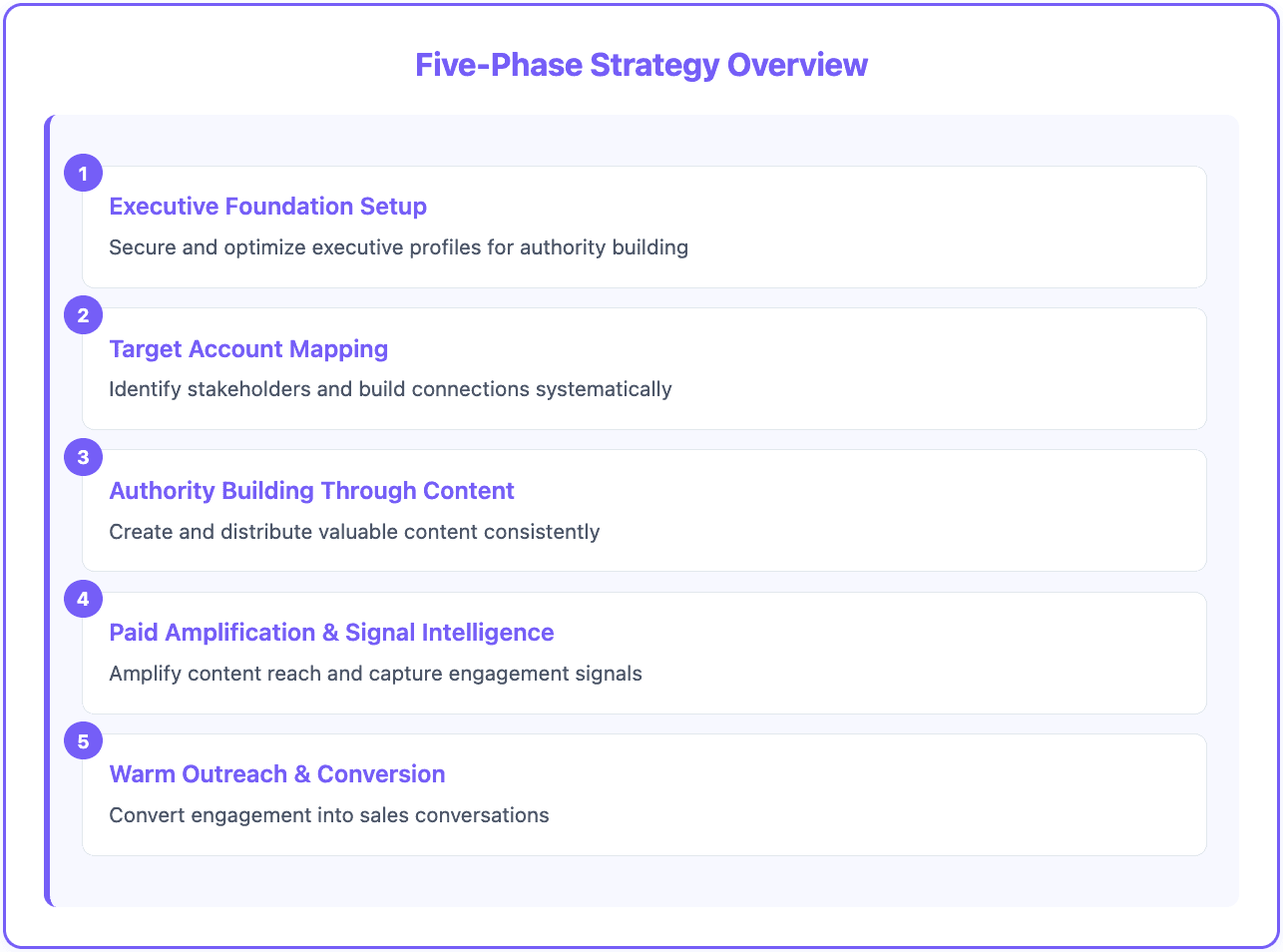
Phase | Steps | Roughly when |
|---|---|---|
1. Executive profiles | 1 to 2 | Week 1 |
2. Account mapping and connections | 3 to 5 | Weeks 1 to 4 |
3. Content | 6 to 8 | Weeks 2 to 5, then ongoing |
4. Paid amplification and signal capture | 9 to 12 | Weeks 5 to 9 |
5. Warm outreach | 13 to 14 | Weeks 8 to 13, then ongoing |
Phase 1: Executive profiles (steps 1 to 2)
Step 1: Choose the voices
Pick one or two executives whose posts will carry the campaign. Usually that's the CEO, plus the CTO if you sell to technical buyers. Prospects respond differently to a founder than to an SDR, and a technical co-founder adds credibility with engineering audiences.
The executives need to own their accounts. LinkedIn's User Agreement doesn't allow sharing account logins, so don't have a marketer log in as the CEO. A marketer can draft posts, prepare comment suggestions and manage the calendar; the executive still posts, comments and sends connection requests from their own login.
Step 2: Turn the profiles into landing pages
Anyone who sees a post and clicks through lands on the profile, so fix it before posting anything:
A clear, recent photo.
A headline that names the problem you solve for whom, not just "CEO at Company".
A banner with proof: customer logos, a result, or a one-line pitch.
A custom button or featured link pointing to your site or a relevant resource.
The current role linked to the company page so people can click through.
Phase 2: Account mapping and connections (steps 3 to 5)
Step 3: Map the buying group at each account
For each target account, find three to five relevant people besides your main contact. If you sell to engineering, that might be the Head of DevOps, a couple of principal engineers and the VP of Product. You can search manually in LinkedIn Sales Navigator, or run a people search across the account list in a Databar table and get names, titles and LinkedIn URLs in one pass.
The goal is coverage of the buying group, so the whole team starts recognizing your executives' names, not just one champion.
Step 4: Send connection requests from the executive profiles
Connect the executives with everyone you mapped. Skip the connection note at this stage; a blank request from a founder in your industry often gets accepted, and a note with a pitch often doesn't.
Mind the limits. LinkedIn caps weekly invitations and adjusts the cap by account (third-party guides put it around 100 per week for most accounts). Spreading 400 requests across two executives over four weeks stays within that. Automation tools like Expandi or HeyReach can schedule requests, but LinkedIn prohibits third-party automation in its terms, so accounts using them risk restrictions. Keep volumes modest if you use one.
Step 5: Watch what the targets post
Save everyone you connected with to a Sales Navigator lead list so their posts, job changes and company news show up in one feed. Check it daily. When a target posts something relevant, send the link to the executive (a shared Slack channel works well) so they can leave a thoughtful comment. Real comments from a founder, a few times a week, do a lot of quiet relationship building.
Phase 3: Content (steps 6 to 8)
Step 6: Build a bank of pillar posts
Before publishing, prepare around 15 posts per executive so the schedule doesn't depend on anyone finding time to write. Four themes cover most of what works:
Origin: why they started the company and what they saw that others missed.
How it works: the approach to solving problem A, B or C, explained without a sales pitch.
Customers: how a specific customer uses the product and what changed.
Opinion: a clear point of view on how the buyer's team should work.
The fastest way to get this out of busy executives is to interview them. Record a 45-minute conversation (Riverside is one tool for this), then cut it into short videos and text posts. One interview can feed weeks of content with little prep from the executive.
Step 7: Publish on a steady schedule
About three posts a week across the executive profiles is enough to stay visible to the people you connected with without burning out the content bank. Keep product mentions light. The posts are there to make the executive credible to the buyer, not to announce features.
Step 8: Check progress after four weeks
At the four-week mark, a healthy run of this playbook looks something like this (your numbers will differ):
Roughly 400 connection requests sent to decision-makers, with a good share accepted. Executive-to-executive requests with no pitch tend to accept well.
Two dozen or so posts published across the two profiles.
Several touchpoints with target accounts through comments on their posts and their reactions to yours.
If acceptance is low, look at the profiles and the targeting before adding more requests. If posts get no engagement from target accounts, the topics are probably too broad.
Phase 4: Paid amplification and signal capture (steps 9 to 12)
Step 9: Promote the best posts as thought leader ads
LinkedIn's thought leader ads let a company page sponsor posts from a member's personal profile, with that member's permission. They run under brand awareness or engagement objectives, and they work with text, single-image, video, article and newsletter posts (not documents, polls or multi-image posts).
Take the posts that performed best organically and run two campaigns:
One aimed only at the decision-makers you mapped, using a matched audience list.
A second aimed at the wider teams at your target accounts (product, IT, operations and other influencers).
Keep them separate. LinkedIn optimizes delivery toward the cheapest engagement it can find, and in a single combined campaign that usually means individual contributors soak up the budget instead of the leaders you care about.
For budget, work backwards from frequency. As an example, a team targeting a few hundred decision-makers might spend around $900 a month aiming for each person to see the ads 8 to 12 times over 30 days. Your cost will depend on audience size, region and seniority.
Step 10: Keep organic and paid running together
Run the ads for about four weeks while the executives keep posting and commenting. Add new posts to the ad campaigns as they prove themselves organically, so the ads don't go stale.
Step 11: Capture every engagement signal
This is where the warm pipeline actually comes from. Collect signals from each channel into one place:
Post engagement: pull the people who reacted to or commented on the executives' posts into a Databar table, then enrich them with title, company, headcount and work email so you can see which ones match your ICP.
Ad engagement: Campaign Manager shows which companies engaged with your ads. A tool like Fibbler matches that engagement to the accounts in your CRM and syncs it to HubSpot or Salesforce, so it sits next to everything else you know about the account.
Profile views and saved-lead activity: Sales Navigator shows who viewed the executives' profiles and activity from saved leads.
Website visits: if you identify visiting companies, add them too. Our guide on enriching website visitors covers the setup.
Bring it all into one table keyed on company domain so each account has a single row showing every way it engaged.
Step 12: Score and rank accounts
Give each type of engagement points and add them up per account. A simple starting model:
Signal | Example points |
|---|---|
Comment on an executive's post | 5 |
Reaction to a post | 2 |
Engaged with an ad (company-level) | 3 |
Viewed an executive's profile | 3 |
Accepted a connection request | 1 |
Two or more people from the same account engaged | +5 bonus |
The exact weights matter less than the idea: accounts that show up across several channels and through several people go first. Revisit the weights once you see which scores actually turn into meetings. For a broader view of building signal models, see our signal-based prospecting framework.
Phase 5: Warm outreach (steps 13 to 14)
Step 13: Reach out to the top-scoring accounts
Take the highest-scoring accounts and contact everyone you mapped at each one, not only the person who engaged most. Run the email side through a sequencer such as Instantly or Smartlead, and pair it with LinkedIn messages from the executives (who are now connected) and calls from the rep.
Reference engagement the way a person would. "Thanks for the comment on Maria's post about migration costs, it's a question we get a lot" is fine, because the prospect did that publicly. Don't reference things they couldn't know you saw, like an ad click or a profile view. That reads as surveillance. Use those signals to decide who and when, not what to say.
Step 14: Keep the loop running
The playbook doesn't end at day 90. Keep the posting schedule, rotate new posts into the ads, add accounts to the target list as others convert or drop out, and rescore weekly. New accounts warm up, cross the score threshold and move into outreach, so pipeline keeps coming instead of arriving in one batch.
What to expect on timing
The first warm conversations often start in the second month, once the executives have posted for a few weeks and the ads have been running long enough to build frequency. Qualified meetings tend to show up closer to the end of the 90 days. The bigger payoff is that the executives' audience inside your target accounts keeps growing, so each later cycle starts warmer than the first.
This isn't a fit for everyone. It needs an executive who will actually show up on LinkedIn every week, a target list small enough to track by account, and deal sizes large enough to justify ad spend per account. If you sell a low-priced product to thousands of small businesses, a straightforward inbound or outbound motion is usually cheaper.
FAQ
How is this different from account-based marketing?
It's a form of it. Classic ABM often has marketing warm accounts with ads and content, then hand them to sales. In inbound-led outbound, the same small team runs content, engagement and outreach, and the executives' personal profiles do most of the warming instead of the company page.
Can a small team run this without a marketing department?
Yes, if a founder writes or records content and engages personally. Most versions start with one executive and a single person handling research, scheduling and signal capture. Add a second voice and paid budget once the organic side is working.
What content gets the most engagement from target accounts?
Posts about the buyer's problems and how teams solve them tend to beat posts about your product. Customer stories with specific details, strong opinions on how a function should work, and short videos cut from executive interviews usually perform well.
Does engagement make outreach compliant with privacy rules?
No. A like on a post isn't consent to email. Follow the rules that apply where your prospects are (GDPR in the EU and UK, CAN-SPAM in the US, and others), include a clear opt-out, and honor it. Warm context helps response rates, not legal status.
Where Databar fits
Databar handles the data work in steps 3, 11 and 12: mapping people at target accounts, pulling post engagers into a table, enriching them with firmographics and verified contact details from 160+ providers through waterfalls, scoring accounts, and pushing the top ones to your CRM or sequencer. Paid plans start at $99/month, you're charged only for results, and you can try everything with a 14-day trial.
Recent articles
See all






