
A rep calls the same prospect three times in a week because the person exists as three separate records. Marketing sends a campaign to 10,000 contacts and hundreds bounce straight away. The VP asks for a pipeline forecast, and half the opportunities in it belong to people who left their companies last year.
That's a CRM data hygiene problem, and it's common. In Validity's State of CRM Data Management in 2025 survey of 602 CRM users, 76% said less than half of their organization's CRM data was accurate and complete. In the 2026 edition, 62% of organizations said they had lost revenue directly because of poor CRM data. Gartner has put the average cost of poor data quality at $12.9 million a year per organization, though that figure comes from large enterprises that were already buying data quality software.
This playbook covers what CRM data cleaning actually involves, why databases get dirty, a seven-phase cleanup process, a recurring maintenance schedule, the tools you need, a governance model, and how to work out whether any of it paid off.
What CRM data cleaning is (and what it isn't)
CRM data cleaning is the process of finding and fixing inaccurate, incomplete, inconsistent and duplicate records in your CRM.
A lot of teams treat it as a once-a-year deduplication run, or a project for an intern. That's damage control. Real hygiene covers five things: standardization (consistent formats), deduplication (finding and merging redundant records), validation (checking information is accurate and current), enrichment (filling gaps) and ongoing maintenance (processes that stop bad data from piling up again). The goal isn't a one-time cleanup. It's a setup where clean data is the default and doesn't need a quarterly rescue.
Cleaning, hygiene and quality are different things
People use these terms interchangeably, but it helps to separate them:
Data cleaning is the tactical work: fixing typos, merging duplicates, standardizing formats.
Data hygiene is the ongoing practice of prevention, monitoring and maintenance that keeps things clean.
Data quality is the result: data that's accurate, complete, consistent and usable.
Brushing your teeth is cleaning, the daily habit is hygiene, and healthy teeth are the quality outcome.
Why CRM data keeps getting dirty
Natural decay
Even perfectly entered data goes stale. People change jobs and get promoted, companies merge, rebrand or close, and email addresses get deactivated when someone leaves. None of it depends on how careful your team is. A database that was clean a year ago will have a noticeable share of wrong titles, dead emails and people who no longer work where the CRM says they do. We go deeper on this in our guide to preventing CRM data decay.
Manual entry errors
Someone types "Jhon" instead of "John," picks the wrong dropdown option, or pastes a phone number into the fax field. Individually these are small. Across tens of thousands of records typed by dozens of people over several years, they add up to a database you can't filter reliably.
No shared standards
One person enters phone numbers as (555) 123-4567, another as 555-123-4567, a third as 5551234567. The same happens with company names (IBM vs. International Business Machines), job titles (VP Sales vs. Vice President of Sales) and countries (US, USA, United States). Every variation makes matching, segmenting and reporting harder.
Forms
Lead capture forms are a major source of junk. People enter fake details to get a gated asset, mistype their email, or use a personal address. Without validation at the form, that data goes straight into the CRM, gets assigned to a rep and enrolled in a sequence before anyone notices.
Integrations
Every system that syncs with your CRM (marketing automation, support, billing, enrichment tools) uses its own field names, types and rules. During sync, values get truncated, mapped to the wrong field, or create a new record instead of updating an existing one.
No ownership
If nobody owns data quality, everyone assumes someone else does. Reps create a new company because they couldn't find the existing one. Marketing bulk-imports an event list without checking for duplicates. Support logs notes in its own format. And "I'll fill that in later" usually means never.
What dirty data actually costs
"Bad data hurts productivity" is true and too vague to act on. It's more useful to put rough numbers on your own situation. The figures below are illustrations; swap in yours.
Sales time
Say each rep spends ten minutes per account re-checking a title, looking up a phone number or figuring out which of two records is right, across 20 accounts a day. That's over three hours a day of research that the CRM should have made unnecessary, before counting the calls to wrong numbers. Multiply by headcount and loaded salary and it's usually the biggest line in the business case.
Marketing spend and deliverability
Email one list of 10,000 contacts with a 4% bounce rate and 400 messages go nowhere. The wasted send cost is small. The bigger cost is what high bounce rates do to your sender reputation, which then pushes good emails to spam too.
Segmentation
When job titles are inconsistent and company size or industry is missing, segments are wrong. Decision-makers get content meant for junior staff, good-fit accounts get dropped from campaigns, and the lost pipeline never shows up in a report.
Forecasting
Duplicate opportunities inflate pipeline. Stale deal stages overstate progress. Opportunities attached to contacts who've left the company stay open far longer than they should. Leadership then makes hiring and budget decisions on numbers that were never real.
Compliance
GDPR, CCPA and similar laws expect you to know what personal data you hold, honor opt-outs and deletion requests, and not keep data longer than you need it. That's very hard when the same person exists in three records and only one of them has the unsubscribe flag.
Customer experience
Getting someone's name wrong, emailing them twice, or ignoring the conversation they had with support last week tells the customer you don't know them. That erodes trust with people who already pay you.
The CRM data cleaning process, step by step
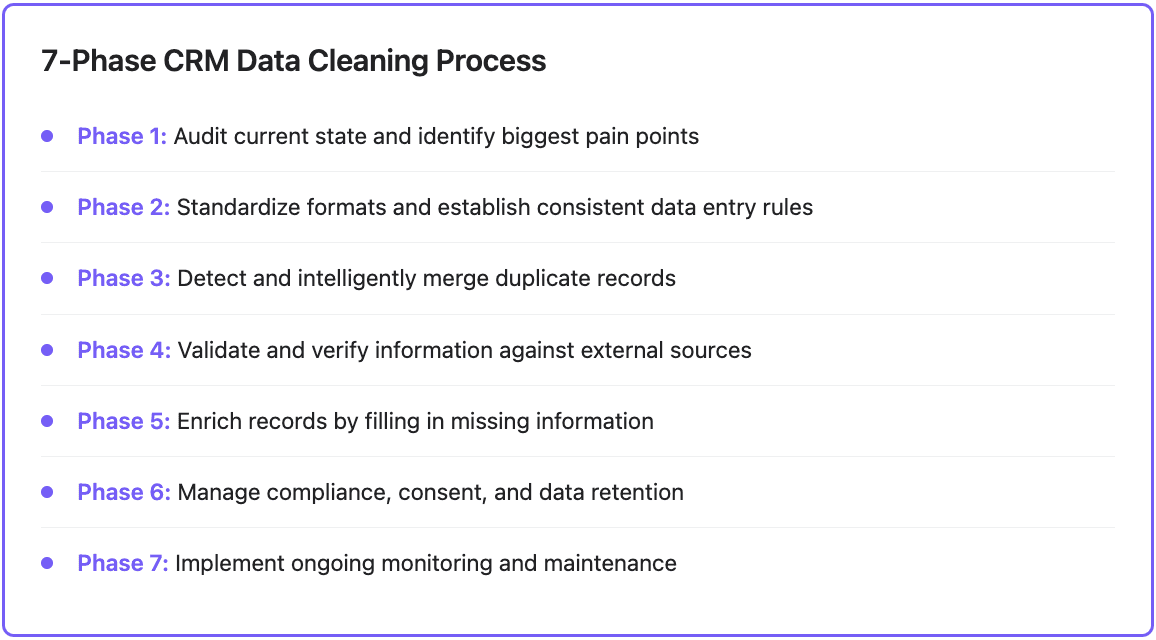
Phase 1: Audit and baseline
You can't fix what you haven't measured. Before changing anything, pull these numbers for contacts and companies:
Metric | What it tells you |
|---|---|
Duplicate rate | Share of records with at least one likely duplicate |
Completeness | Share of records with each critical field filled (industry, size, title, email, phone) |
Email validity | Share of addresses that pass verification |
Bounce rate | Hard bounces on recent campaigns |
Data age | Time since each record was last verified or updated |
Usage | Share of records touched in the last 90 days |
Format consistency | Share of phone, country and state values in the standard format |
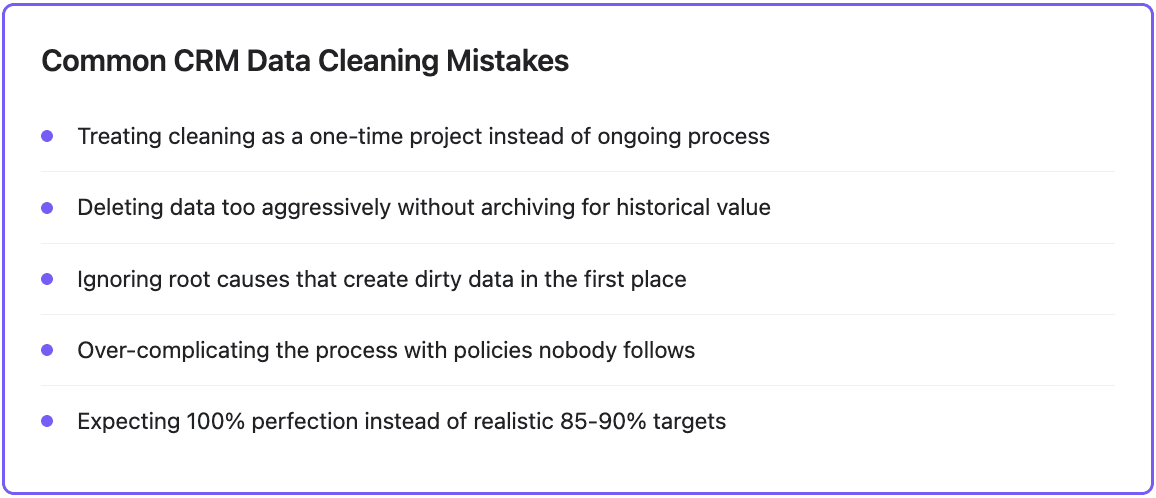
Save this as your baseline. Then pick the problems causing the most pain (duplicates confusing reps, or missing fields breaking routing) and fix those first. Set realistic targets. 100% isn't achievable; something like 85 to 90% completeness on critical fields, a low single-digit duplicate rate, and hard bounces under 2% is a reasonable goal for most teams.
Phase 2: Standardize
Before you clean, agree on what "clean" looks like. Write a short data dictionary that covers:
Phone format (E.164, like +15551234567, is the easiest to match on)
Country and state values (ISO codes or full names, but one or the other)
Company naming (legal name vs. common name, and whether to keep "Inc." or "Ltd.")
Job title handling (keep the raw title, and add normalized seniority and department fields for segmentation)
Required fields per record type
Which fields become picklists instead of free text
Then enforce it at entry with validation rules: email format checks, required fields, picklists wherever the values are known. Standardizing first makes the next phase far more accurate, because duplicates are much easier to find once formats match.
Phase 3: Find and merge duplicates
Exact matching misses most duplicates. Use fuzzy matching that catches:
Name variations: "Jon Smith," "John Smith," "J. Smith"
Company variations: "Microsoft," "Microsoft Corporation," "Microsoft Corp"
The same phone number in different formats
Same person, different email: john@company.com and j.smith@company.com
For companies, the website domain is usually the most reliable match key. For people, a combination of normalized name plus company domain, or a LinkedIn URL, works better than name alone.
Don't just delete the extras. Merge them so the surviving record keeps the full activity history, notes, attachments, deal associations and list memberships from every copy. Decide your survivorship rules up front, meaning which value wins when records disagree:
Email: the most recently verified one
Phone: the one with a successful recent connect
Job title: the most recently enriched or updated
Company data: your designated most reliable source
Opt-out status: if any copy is opted out, the merged record is opted out
Auto-merge only high-confidence matches, and send the uncertain ones to a review queue for a person to decide.
Phase 4: Validate and verify
A filled-in field isn't necessarily a correct one. Check records against outside sources:
Email: syntax, domain, mailbox existence, and risk flags like disposable addresses, role accounts (info@, sales@) and catch-all domains. Suppress invalid addresses from sending right away.
Phone: correct format with country code, line type, and whether the number is still in service.
Company: still operating, not acquired, current name, and firmographics that match reality.
Contact: still at the company in the listed role. Job changes are the single biggest source of stale records in B2B, and they're also a sales signal: a champion who moved to a new company is a warm lead there.
Phase 5: Enrich
Validation finds what's wrong. Enrichment fills in what's missing:
Firmographics: employee count, revenue range, industry, HQ location
Technographics: the tools and platforms a company uses
Contact details: verified work email, direct dial, mobile
Role data: normalized title, seniority, department
Social profiles: LinkedIn URL, which also makes future matching easier
Signals: recent funding, hiring, leadership changes
No single provider has complete coverage, so use waterfall enrichment: query providers in order and stop at the first valid result. Coverage goes up without paying several vendors for the same records. Prioritize by value: active opportunities and target accounts first, dormant records later or not at all. And set rules so enrichment doesn't overwrite fields that a rep has manually confirmed. For more on setting this up inside HubSpot or Salesforce, see our CRM data enrichment guide.
Phase 6: Consent and compliance
Clean data also means data you're allowed to use. Audit:
Who has opted in, who has opted out, and whether you have a record of when and how
Whether every opt-out and deletion request has actually been honored across merged and synced records
What lawful basis you rely on for EU and UK contacts
How long you keep each type of record, and whether anything is past that date
Set retention rules, archive or delete records past them, and log changes so you can show an auditor what happened.
Phase 7: Monitor and maintain
This is the part most cleanup projects skip, and why databases are dirty again six months later. Set up automated checks: alerts for new likely duplicates, records created with required fields empty, addresses that start bouncing, and format violations. Use progressive profiling on forms so you gather a field or two per interaction instead of demanding everything up front. Then run a fixed maintenance schedule.
A maintenance schedule you can actually keep
Hygiene works when it's small and regular. Here's a cadence that fits most B2B teams. The time estimates assume enrichment, verification and dedup detection are automated, so the human time goes into review.
Weekly (about 15 minutes)
Check last week's bounce rates. If a campaign went above 2 to 3%, find the segment or import it came from.
Spot-check records created in the last week for missing critical fields.
Clear the duplicate review queue.
Monthly (a few hours)
Re-enrich active pipeline. Everyone attached to an open deal. Catch job changes and flag stale titles.
Verify recent emails. Everything added or changed in the last 30 days; pull invalid addresses out of active sequences.
Standardize one field. Pick one field per month (country, industry, phone) and normalize it across the whole database.
Archive dead records. Contacts with no engagement for 24 months or more and no confirmed current role. Archive rather than delete, so historical reports still work.
Quarterly (half a day)
Re-run the Phase 1 audit and compare against your baseline.
Re-enrich engaged contacts beyond the active pipeline (roughly every 90 to 180 days depending on segment), and the full database about once a year.
Review fields: remove ones nobody uses, make required the ones that should be.
Check every integration for broken syncs or mapping drift.
Tools you'll need
Process gets you most of the way, but you can't maintain a database of any real size by hand.
Email and phone verification
Stops bad contact data at entry and cleans what's already there. Look for real-time API checks you can put on forms, bulk verification, catch-all and disposable detection, phone line type lookup, and CRM integration. Compare vendors on a sample of your own data rather than their accuracy claims.
Deduplication
Dedicated tools find and merge duplicates with configurable matching. What matters: fuzzy matching across contacts and companies, configurable survivorship rules, a preview before merging, undo, and scheduled scans.
Enrichment
Fills in missing and stale fields. Look for access to multiple providers with waterfall logic, scheduled re-enrichment, field-level control over what gets overwritten, and a native sync to your CRM.
Native CRM features
HubSpot includes duplicate management and data quality tools, with the more advanced automation on paid Data Hub tiers. Salesforce has duplicate rules and matching rules, which are flexible but need an admin to configure well. Use native features for prevention (validation rules, required fields, duplicate warnings at creation) and add specialist tools for matching, verification and enrichment at scale.
Data quality platforms
Larger organizations with several systems of record may need a dedicated data quality or master data management platform that scores records, enforces rules across systems and keeps an audit trail. For most small and mid-sized teams, that's more than they need.
Where Databar fits
Databar covers the enrichment and verification side of this playbook. You can pull records from HubSpot or Salesforce into a table, add waterfall columns for the fields you're missing (work email, phone, title, company size, industry) across 160+ data providers, add email verification, and sync the results back to the CRM. Scheduled runs handle the monthly and quarterly re-enrichment, so active pipeline stays current without someone kicking it off by hand. Because you're charged for results and not for lookups that return nothing, re-enriching a big database doesn't cost you for every record that's already as complete as it will get.
Deduplication rules and consent management still belong in your CRM or dedicated tools. Paid plans start at $99/month, and there's a 14-day trial of the full product if you want to run your baseline audit on a real export first.
A governance model that holds up
Tools don't keep a CRM clean on their own. Somebody has to own it.
Choose an ownership model
Centralized: a data or RevOps team sets standards and makes most changes. Consistent, but can become a bottleneck. Suits regulated industries and complex setups.
Federated: each department owns its own objects (sales owns opportunities, marketing owns campaigns, support owns cases) under shared standards. Faster, but consistency slips.
Hybrid: a central team sets the rules, and a named data steward in each department enforces them. This is the most common model and usually works best.
Whichever you choose, name people for four roles: a governance lead who sets standards and tracks the metrics, stewards in each team, the admins who implement validation and integrations, and everyone else, who follows the rules when entering data.
Write the policies down
Keep it short enough that people read it. It should answer: which fields are required and in what format; who can create, edit, merge and delete records; what counts as a complete record for each object; how often each segment gets verified; and how long each type of data is kept before it's archived or deleted.
Make it easy to comply
Mandates alone don't work. Reps maintain data when it takes less effort than not doing it: fewer fields to fill because enrichment covers them, activity logged automatically from email and calendar, duplicate warnings that point them to the existing record. Show them concrete examples of deals lost or embarrassing emails caused by bad data, and share the quality dashboard so they can see it improving.
Measuring the ROI of CRM data cleaning
Compare against the baseline from Phase 1 on three levels.
Data quality: duplicate rate, email validity, completeness of critical fields, bounce rate, share of records verified in the last 90 days. You can combine these into a single data quality score (for example, the average of completeness, accuracy, freshness, consistency and one minus the duplicate rate) and track it monthly. If it isn't trending up, something in the process is leaking.
Operational efficiency: rep time spent researching, time to prepare a campaign list, number of misrouted leads, time spent reconciling reports.
Revenue: lead-to-meeting and win rates by segment, forecast accuracy against actuals, and retention in accounts where you now have complete contact coverage. These are harder to attribute to data alone, so compare cohorts where you can.
The ROI formula itself is simple:
ROI % = (total benefits minus total costs) ÷ total costs × 100
As an illustration: a company spends $50,000 in a year on cleaning (tools plus staff time) and estimates $200,000 in benefits from recovered rep time, avoided waste and additional closed deals. ROI = ($200,000 − $50,000) ÷ $50,000 × 100 = 300%. Be conservative with the revenue side, because it's where estimates get optimistic.
A useful rule of thumb from data quality circles is the 1-10-100 rule: it costs about $1 to prevent a bad record, $10 to fix it later, and $100 in downstream damage if you never fix it. The exact ratios aren't scientific, but the direction holds, and it's the best argument for spending most of your effort on prevention at entry.
Start small
Don't try to run all seven phases in a single week. Pull the baseline, pick the one problem hurting the most (usually duplicates or stale contacts on open deals), fix it, put the weekly and monthly routine in place, and then move to the next problem.
FAQ
How long does CRM data cleaning take?
An initial cleanup of a mid-sized database (tens of thousands of records) typically takes a few weeks, depending on how bad it is and how much is automated. Large enterprise databases with several integrated systems can take a few months. After that, maintenance should be a few hours a month.
What's the difference between data cleaning and data enrichment?
Cleaning fixes what's wrong: duplicates, typos, inconsistent formats, invalid emails. Enrichment adds what's missing: firmographics, contact details, technographics, signals. Clean first, then enrich, otherwise you pay to enrich duplicates.
How often should I clean my CRM data?
Validation and duplicate checks should run at entry, all the time. Do quick checks weekly, re-enrich active pipeline monthly, re-enrich engaged contacts every 90 to 180 days, and run a full audit quarterly.
Should I delete bad records or archive them?
Archive in most cases. Deleting can break historical reports and deal associations. The exception is personal data you no longer have a legal basis to keep, or a deletion request, which you should delete properly.
What causes duplicate records in a CRM?
Multiple entry points creating the same person or company: reps adding from LinkedIn, marketing importing event lists, support creating contacts from tickets, and integrations syncing from other systems. Inconsistent naming makes existing records hard to find, so people create new ones. Duplicate rules at creation and a habit of searching before creating fix most of it.
Which CRM is easiest to keep clean?
Any major CRM can be kept clean with the right process. HubSpot is generally easier to set up for smaller teams. Salesforce is more flexible for complex matching and validation but needs admin expertise to configure well.
Recent articles
See all






