
Clay is the most complete GTM data workbench you can buy, and in 2026 it is also the most expensive one to run at volume unless your workload fits its pricing model exactly. Both things are true, and which one matters to you depends on who operates it and what they build.
This review is written by Databar, which competes with Clay and runs many of the same data providers. We have kept the opinion to the sections labelled as opinion and the rest to what Clay's own pricing page, its March 2026 announcement and its public reviews say. If you're already past the review stage and just want the list of options, go to Clay alternatives compared.
The verdict in four lines
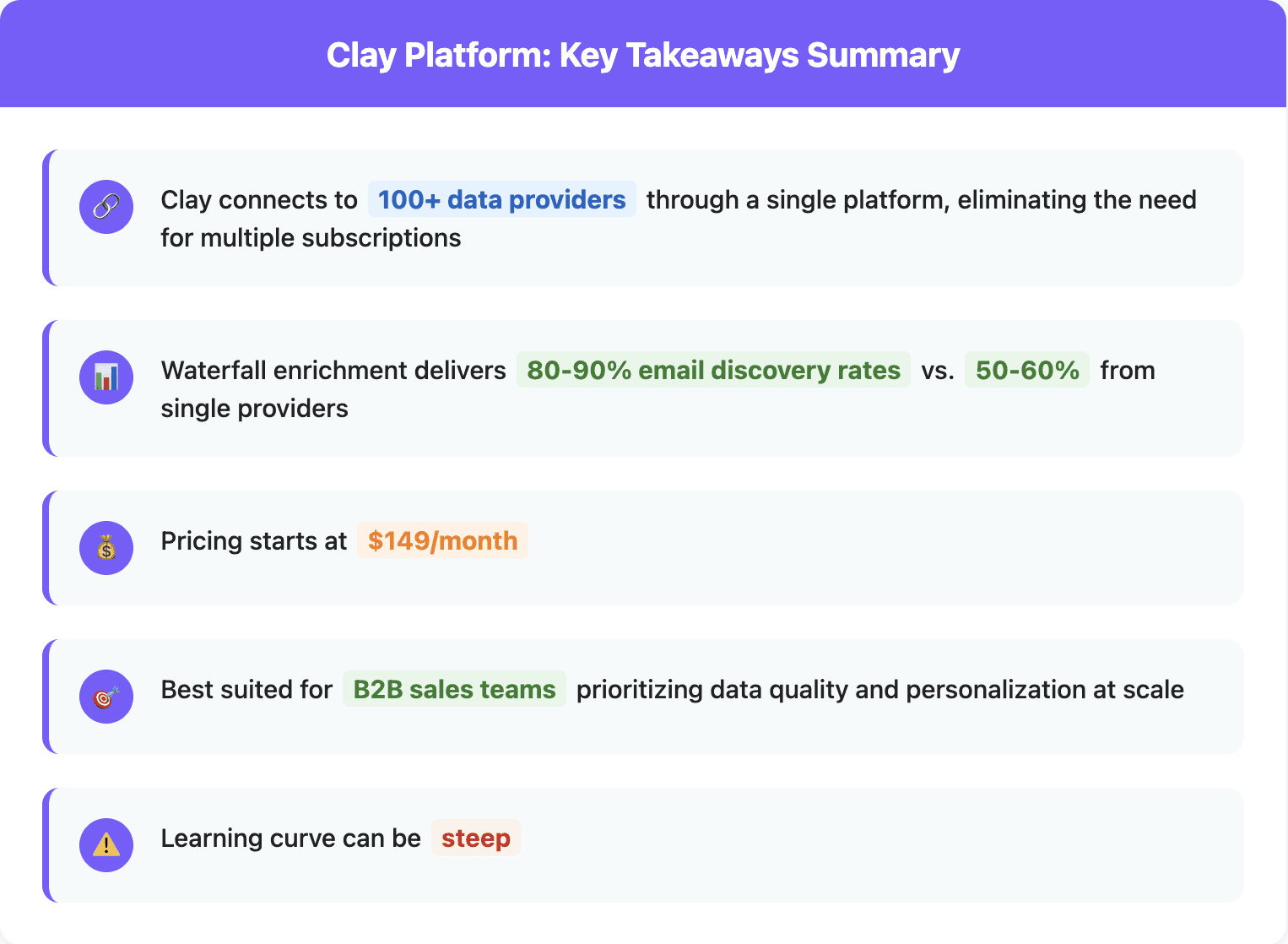
Buy Clay if your team is non-technical, learns from templates, and uses its native sequencer or ad-audience sync as part of the workflow. Nothing else has the community or the template library.
Think twice if you need API or HTTP access, because that now starts on the $446-a-month Growth tier, or if your workflows touch each row many times, because every step spends an Action before any data is bought.
Budget for the learning curve. Reviewers put basic proficiency at two to six weeks, and the credits burned while learning are the second most common complaint.
Expect to pay two currencies. Data Credits for lookups, Actions for everything else. Forecasting the bill means forecasting both, and most of the teams that leave Clay leave over the second one.
What Clay is in 2026
Clay pivoted to sales in 2021 as a spreadsheet that could call APIs, and became the tool that defined the GTM engineer role. Today its own homepage describes it as infrastructure to get any data, run agentic workflows, and launch GTM plays. Concretely, it is a table-shaped workspace where each column can be a data provider, an AI agent, a formula or an integration, and rows flow through those columns in order.
The pieces, in Clay's own product names:
Data marketplace. 200+ providers by Clay's current count, bought with Data Credits inside the table.
Waterfalls. Try providers in sequence and stop at the first result, the standard way to lift match rates above any single vendor.
Claygents and Account Agents. AI agents that browse the web to research a company or person and return structured answers. Our separate Claygent write-up covers costs and limits.
Signals and intent. Job changes, promotions, web intent on the Growth tier.
Audiences and ads. Centralize first- and third-party data and sync audiences to LinkedIn, Meta and Google.
Sequencer and CRM enrichment. A native sequencer, and auto-sync to the CRM on Growth and above.
Agent plugin, API and CLI. New in 2026: build in Clay from a coding agent, with API and CLI access on paid tiers.
Commercially it is the giant of the category: roughly $150M in annual recurring revenue by Sacra's May 2026 estimate, a $7.1B valuation as of September 2026, over 500,000 teams by its own count, customers like Anthropic, Intercom and OpenAI, a four-tier partner program and its own conference, Sculpt, on 8 October in San Francisco. Whatever else is true, Clay is not going anywhere.
The features, and what each one burns
Most Clay reviews list features. The useful version lists what each feature costs, because in Clay the price of a feature is not on the pricing page, it is in how many credits and actions the feature spends per row. Here is each part of the product in those terms.
Tables, sources and the marketplace
A Clay table starts from a source: a CSV, a CRM pull, one of Clay's own company or people searches, or a signal feed. Each row then moves through enrichment columns that buy data from the marketplace. Clay lists Data Credits from five cents each, but that is the floor, not the price: a verified work email, a mobile number or a firmographic pull each carries its own credit price, and the marketplace is where most of a typical bill goes. Search results from Clay's own Find People and Find Companies draw on partner data and are metered too.
The same shape exists on Databar with 160+ providers behind it, many of them the same vendors, so a table built in one rebuilds in the other column for column. The difference is what a column costs to exist: on Databar a column spends nothing until a provider returns a result, and there is no per-step meter running underneath.
Waterfalls
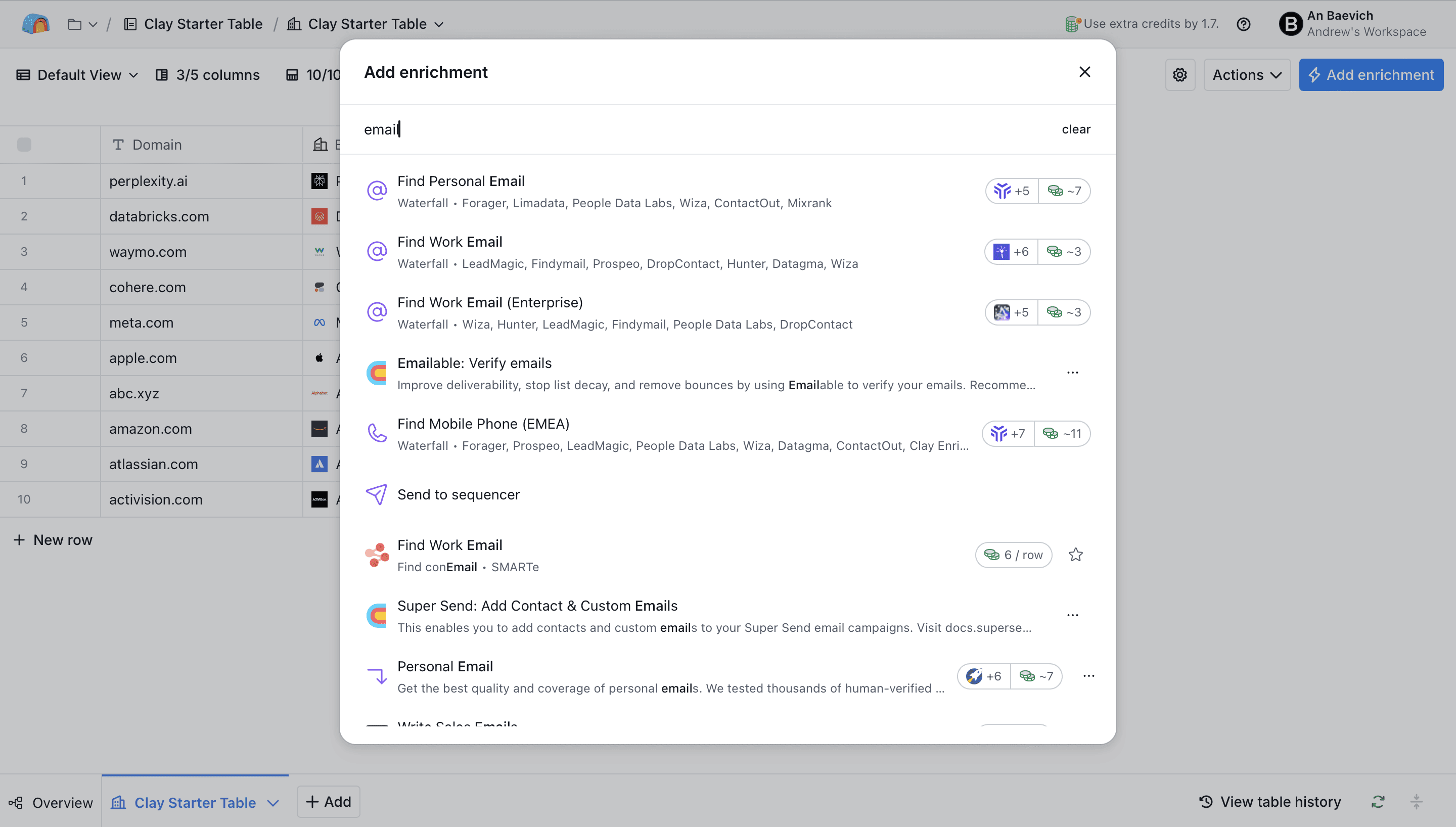
Clay's waterfalls are the feature that made it famous: ask provider A for a work email, then B, then C, and stop at the first hit. Credits burn only on the hit, so a waterfall is not more expensive than a single provider on data, but each provider in the chain is a step, and steps are actions. A five-provider email waterfall plus a four-provider mobile waterfall can spend nine actions on one row before a formula or an AI column runs.
Waterfalls on Databar run the same way, with the same charge-on-hit rule for credits and no action charge for the chain. Match rates end up similar because the providers overlap; the bill does not, because only one of the two platforms meters the chain.
Claygent and the account agents
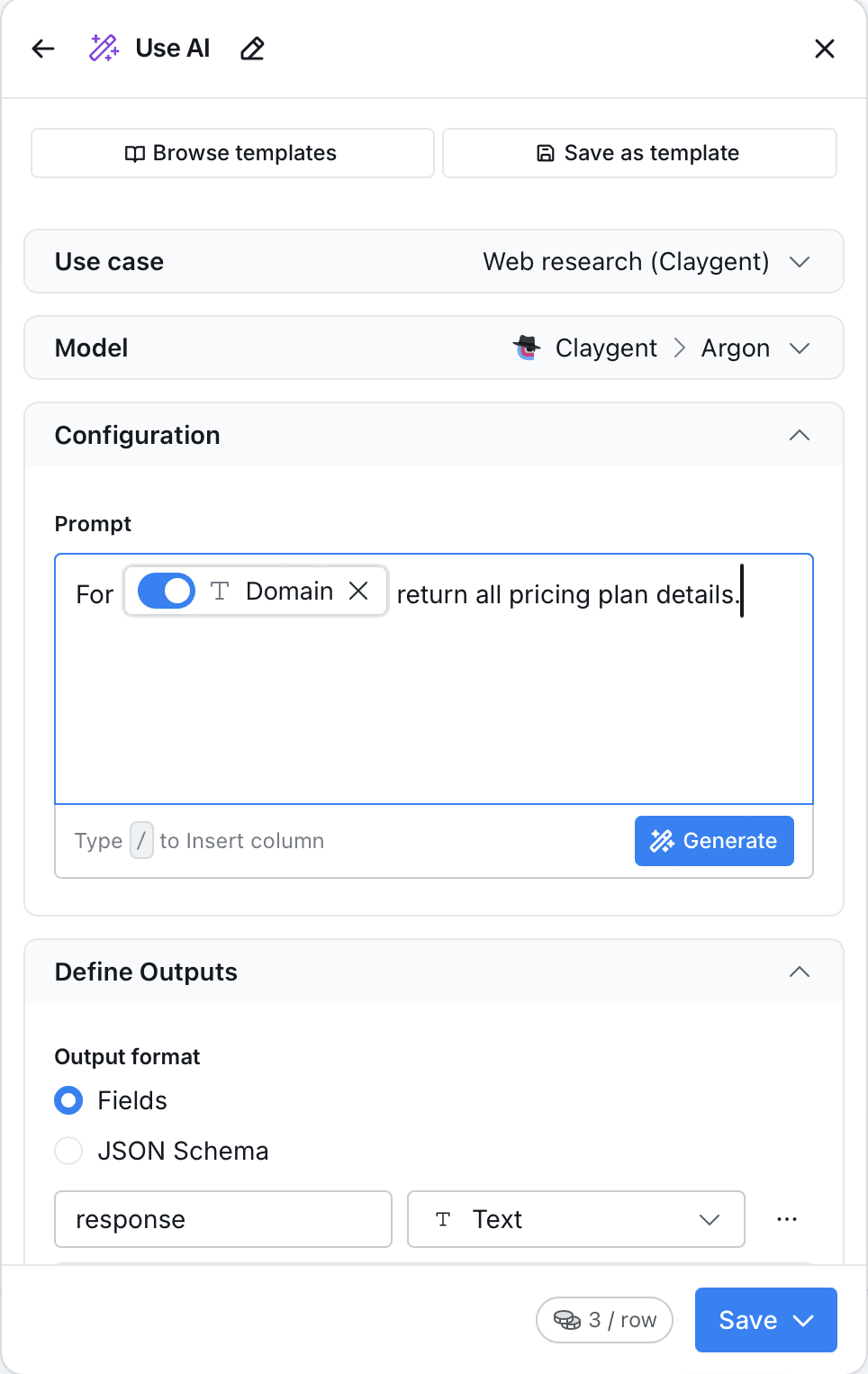
Claygent is an AI research column: it browses the web per row and answers a question in structured form, which is how you find out whether a company is hiring SDRs, which founder runs sales, or what a company announced last quarter. It costs credits per run, scaled by the model you pick, and it needs prompt discipline or it returns confident nonsense. Account Agents extend the same idea to account-level research. Our Claygent write-up has the prompt patterns and the costs.
Databar's AI research columns do the same job for the same kinds of questions, priced in plan credits per run. Neither platform makes web research cheap; both make it cheaper than a person.
Signals, audiences and the sequencer
Clay watches job changes and promotions on your saved contacts, adds web intent on the Growth tier, syncs audiences to LinkedIn, Meta and Google, and ships a native sequencer so a workflow can end in an email without leaving the tool. This is the part of Clay most aggregators do not have, and if your team uses it daily it is a real reason to stay. Databar has job-change and hiring signals as providers and exports to every major sequencer and CRM, but it does not send email or run ads. Job change signals and signal-based selling cover how teams run those plays on either stack.
Integrations, HTTP and the agent plugin
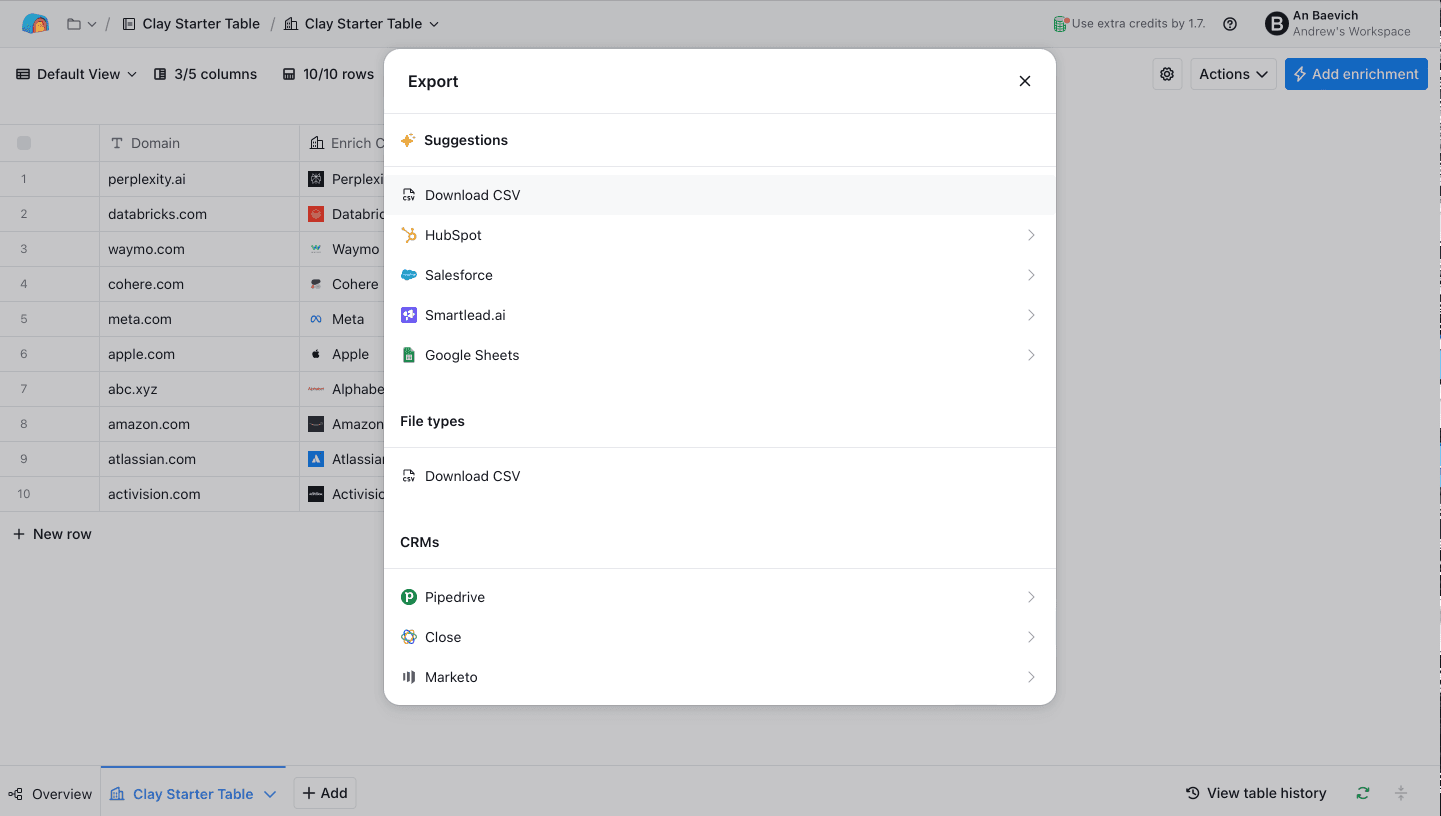
Clay connects natively to HubSpot, Salesforce, the major sequencers and Slack, and reaches everything else through Zapier, Make, n8n or its HTTP column. Since March 2026 the HTTP column is a Growth feature and every request through it spends an action. The 2026 agent plugin lets a coding agent build and run Clay tables, with API and CLI access on paid tiers.
On Databar the REST API, Python SDK, CLI and MCP server are on every plan, including the $99 one, and there is an official n8n node and an Attio app. The API and MCP server guide for GTM engineers walks through the same enrichment run from code, and MCP vs SDK vs API explains which surface to pick for which job.
Clay pricing in 2026
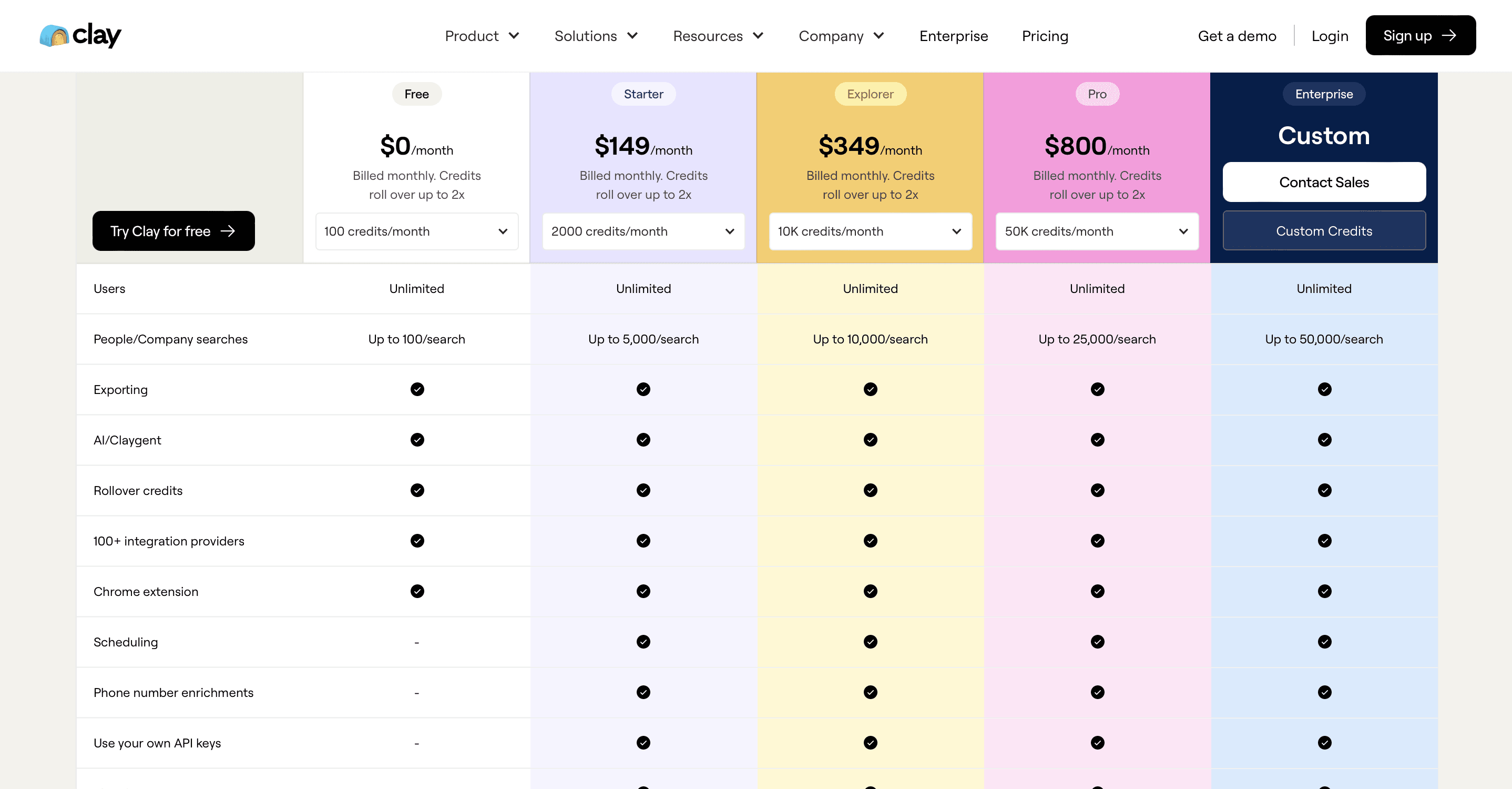
On 11 March 2026 Clay collapsed three self-serve plans into two, split billing into Data Credits and Actions, cut marketplace data prices by 50 to 90 percent, and reclassified HTTP requests from free to action-consuming. Clay's co-founder published the reasoning alongside the change and acknowledged an expected revenue hit of about 10 percent from it. The tiers as shown on clay.com/pricing in September 2026:
Plan | Price | Data Credits / month | Actions / month | Notable gates |
|---|---|---|---|---|
Free | $0 | 100 | 500 | Unlimited seats and tables, waterfalls, Claygent, 200 rows per table |
Launch | From $167/mo billed annually ($185 monthly) | 3,000, expandable to 50,000 | 15,000, expandable to 200,000 | Phone enrichment, job-change signals, email integrations, 50,000 rows per table |
Growth | From $446/mo billed annually ($495 monthly) | 6,000, expandable to 50,000 | 40,000, expandable to 200,000 | CRM auto-sync, HTTP API integrations, web intent, unlimited ad audiences, priority support |
Enterprise | Custom, annual commitment | 100,000+ typical | 100,000+ typical | SSO, RBAC, bulk enrichment, dedicated growth strategist |
What the two currencies pay for
Data Credits buy lookups from the marketplace. Clay lists them from $0.05 each, and most enrichments cost more than one: a work email, a phone number or an AI research row each carry their own price in credits. Unused credits roll over up to twice the monthly amount on Launch and Growth. Top-ups carry a 30 percent premium, down from 50 percent before March.
Actions pay for the platform: every workflow step, formula, AI call, CRM sync, export and, since March, every HTTP request. This is the meter teams underestimate. A row that passes through an eight-column workflow spends eight actions on the way, whether or not any provider returned data. 15,000 actions on Launch sounds like a lot until you divide it by columns.
The HTTP change
Before March, HTTP integrations against your own provider keys were free orchestration and available on the old $349 Explorer tier. After March they consume actions and require Growth. Clay's own community post put it plainly: HTTP functions were complimentary and are now paid actions. For a team that built waterfalls on its own API keys, that turns a fixed cost into a variable one and raises the entry price to $446 a month billed annually. For a team that buys everything from the marketplace, the same change made data cheaper. Which side of that line you sit on is the single most important question before you buy.
Two worked examples
A small marketplace-only team. 2,000 new leads a month, one email waterfall and one phone lookup per lead, a five-column workflow. Roughly 10,000 actions, and somewhere between 3,000 and 6,000 data credits depending on which providers hit. Launch covers the actions; the credits may need a top-up. Expect $185 to $300 a month.
A RevOps team with its own keys. 10,000 rows a month through a twelve-column workflow with three custom HTTP calls per row. 120,000 actions before any data is bought, which is above Growth's 40,000 base and needs the expanded allocation. Expect $495 plus expansion, and note that the HTTP calls were free before March.
For the same two workloads on a single-currency model, the Databar vs Clay page shows the line-by-line cost, including what 2,000 work emails and 1,500 phone numbers come to on each platform. If you want to model your own numbers first, the enrichment cost-modeling guide has the spreadsheet logic.
The learning curve, honestly
Every honest Clay review says the same thing and so will this one: the grid looks like a spreadsheet and behaves like a programming environment. Conditional runs, formulas, lookups across tables, agent prompts and the two meters all have to be understood before the first workflow runs cleanly, and reviewers put that at anywhere from two to six weeks. Clay's answer is Clay University, a large template library, a Slack community and a certified-agency marketplace, and those are genuinely good. But the operator building a waterfall for the first time still does it alone, on a live meter.
What to budget: one person who owns the workspace, roughly half a day per new workflow for the first month, and a credit and action allowance for mistakes, because a workflow that runs on 5,000 rows with an error in column four spends the credits anyway. If nobody on the team wants that job, Clay will sit unused after the trial, which is the most common failure mode we hear about from teams that move to us.
Databar uses the same grid model with fewer concepts to learn: one currency, no row caps, no step meter. And because the MCP server is on every plan, a GTM engineer can describe the table to Claude Code and have it built rather than clicking it together. Claude Code with Databar for outbound shows that setup end to end, and Claude Code vs Clay is the fuller comparison of the two ways of working.
What Clay does well
The workspace itself. Clay's table is the best-designed surface in the category for building a workflow by hand. Sources, enrichments, formulas, agents and integrations are all columns, and the mental model holds up as workflows get complex.
Waterfalls. Clay popularized the idea of asking several providers in turn and it does it well. Match rates on emails and phones are materially higher than any single vendor's, which is why the whole category now works this way.
Claygent. The AI research agent is genuinely useful for questions no database answers. It costs credits per row and needs prompt discipline, but it works.
Templates, community and education. Clay University, a large template library, a Slack community, roughly 30 hackathons a quarter and a certified-agency marketplace. If your team learns from examples, this ecosystem is Clay's strongest moat and no alternative has anything like it.
Execution in the loop. A native sequencer and ad-audience sync mean a workflow can end in an email or a LinkedIn audience without leaving the tool. Most aggregators stop at the CRM.
Where Clay wears teams down
The learning curve. Covered above. Clay is a workbench, and workbenches reward people who already know what they're building.
Credit burn while learning. The second most common complaint. Public reviews in 2026 describe hundreds of dollars lost in a week of experimentation, and Clay's support scores on consumer review sites are far below its G2 rating.
The action meter. See pricing. It is the mechanism by which a $167 plan becomes a $495 plan.
API access on the top tier only. Since March, HTTP integrations and API-driven workflows start at Growth. For a GTM engineer, that means the cheapest plan that lets you do your job is $446 a month billed annually.
Row caps per table. 200 on Free, 50,000 on Launch. Teams working account lists bigger than that split tables or move up.
If any of those four are the reason you're reading this, the Databar vs Clay page puts the same workloads on both bills, and a founder demo takes twenty minutes.
What users say in 2026
Clay holds a 4.8 out of 5 on G2 across several hundred reviews, and the praise is consistent: waterfalls, flexibility, and time saved on list building and research that used to take days. The critical reviews on G2 are about the learning curve and the bill, not about the data.
On Trustpilot, where reviews skew toward individual buyers rather than teams with an operator, Clay sits at 2.9 out of 5 from a small set of 23 reviews as of September 2026. The three themes are credits spent on things the reviewer did not intend to run, an interface that took longer to learn than expected, and slow or unhelpful support.
Read together, the two sites describe one product accurately. Teams that hire or have a Clay operator get the G2 experience. Buyers who wanted an appliance get the Trustpilot experience. Decide which team you are before the trial ends, not after the first invoice.
Five mistakes that cost Clay users money
These come up in the reviews and in migration calls, and every one of them is a credit or action bill rather than a bug.
Starting from a twelve-column template. Templates are built to show off, so they run every enrichment on every row. On the action meter, twelve columns on 3,000 rows is 36,000 actions, more than twice the Launch allowance, before you have learned what half the columns do. Start with three columns and add one at a time.
Enriching before qualifying. Buying a work email for a row you will discard in the next filter is the most common waste in any workbench. Put the cheap qualifying columns, firmographics and a fit formula, before the expensive contact columns, and run the expensive ones only on rows that pass.
Running on the whole table. Test on 50 rows, read the results, then run the rest. A mistake in a prompt or a mapping costs 50 rows, not 5,000.
Leaving auto-run on. Tables set to enrich new rows automatically keep spending while nobody is watching, which is how a quiet week produces a loud invoice. Turn auto-run on only for workflows you have watched run correctly for a month.
One table per campaign. The same contact enriched in four campaign tables is bought four times. Keep one master table per object and use lookups from the campaign tables.
Three of the five are cheaper on a platform without an action meter, because a step that finds nothing costs nothing. The other two are just good practice anywhere, and the RevOps enrichment playbook turns them into a standing operating procedure.
Clay vs the tools people compare it to
Most of the comparison searches around Clay are not against other aggregators. They are against tools that do one of Clay's jobs. Here is where each line falls.
Clay vs n8n
n8n is an open-source, self-hostable automation engine with hundreds of integrations, and it is not a data product: it moves data between systems and runs logic, but it owns no providers and buys no lookups. Teams compare the two because both can orchestrate an enrichment workflow. The honest answer is that n8n replaces Clay's actions, not its marketplace. If you run n8n already, the cheapest stack is n8n for the orchestration and a provider layer for the data, which is exactly what the Databar n8n node is for. n8n use cases for outbound lists the workflows teams actually build.
Clay vs Common Room
Common Room is a signals platform. It watches product usage, community activity, social posts and web visits, resolves them to people and accounts, and tells reps who to contact this week. It is strongest when you already have a large surface of first-party activity to watch, and it does not sell a marketplace of enrichment providers. Clay is where you go once you know who to contact and need the data to reach them. Many teams run one of each; few replace one with the other.
Clay vs Highperformr
Highperformr positions itself as an AI-native GTM platform that finds ICP leads from first-party and social signals, enriches them, and runs the outreach in one closed loop, with unlimited users rather than a credit meter. It overlaps Clay on list building and enrichment and goes past it on execution, at the cost of Clay's provider breadth and the workbench itself. Teams that want an appliance look here; teams that want to build the process look at Clay or Databar.
Clay vs Apollo
Apollo is a proprietary database of 240M+ contacts with sequences and a dialer attached, priced per seat from $49 a month on annual billing. It wins on time to first email and on total cost for a small US sales team; Clay wins on coverage outside Apollo's database and on everything about workflow logic. Apollo is also a provider inside both Clay and Databar waterfalls, so the two are combined more often than compared. Clay vs Apollo has the full breakdown, and Apollo vs ZoomInfo covers the other side of that triangle.
Clay vs ZoomInfo
ZoomInfo is the largest proprietary B2B database, sold on annual contracts that buyers report starting around $15,000 a year, with intent data and, since 2025, its own parallel waterfall across external sources. It wins inside US enterprise accounts and on having one vendor to hold accountable; Clay wins on self-serve, price and provider choice. Clay vs ZoomInfo goes through data, pricing and agent access side by side.
Clay vs Databar
Same category, different bill. The full placement is two sections down.
Who should buy Clay
Ops teams that learn from templates and want a big community to copy from.
Teams that use the native sequencer or ad-audience sync as part of the same workflow.
Agencies whose clients expect Clay, or that are already Clay-certified.
Enterprises that want SSO, RBAC and a dedicated strategist, and can commit annually.
Who should look elsewhere
Anyone whose workflow is mostly custom HTTP calls on their own keys, because that got expensive in March.
Teams that need API, MCP or CLI access without paying for the top tier.
Teams that want one predictable bill rather than two meters.
GTM engineers who would rather write the workflow than click it. Claude Code vs Clay covers that trade-off.
How to evaluate Clay before you pay
Do not evaluate Clay on a template. Evaluate it on your own accounts, with the fields you actually need, and write down three numbers at the end.
Pick 200 accounts that span your ICP: 50 you would love to close, 100 in the middle, 50 that are borderline.
Decide the five fields that matter, for example decision-maker name, verified work email, mobile, headcount and one qualifying question an agent has to research.
Build one table with one waterfall per contact field and one research column. Run it on 50 rows, fix what breaks, then run the other 150.
Record the match rate per field, the credits and actions spent, and the hours it took to get there.
Divide the spend by the number of usable rows. That is your cost per qualified account, and it is the only number that compares across platforms.
Run the same 200 accounts through the free tier of at least one alternative. Databar's 14-day trial covers a first sample on the full product, and if you want a proper bake-off on the whole list, book a founder demo and we will set it up with you. How to verify a data provider has the sample-size math if you want the result to hold up in a purchasing review, and the data enrichment buyer guide has the questions to ask each vendor on the call.
Clay vs Databar
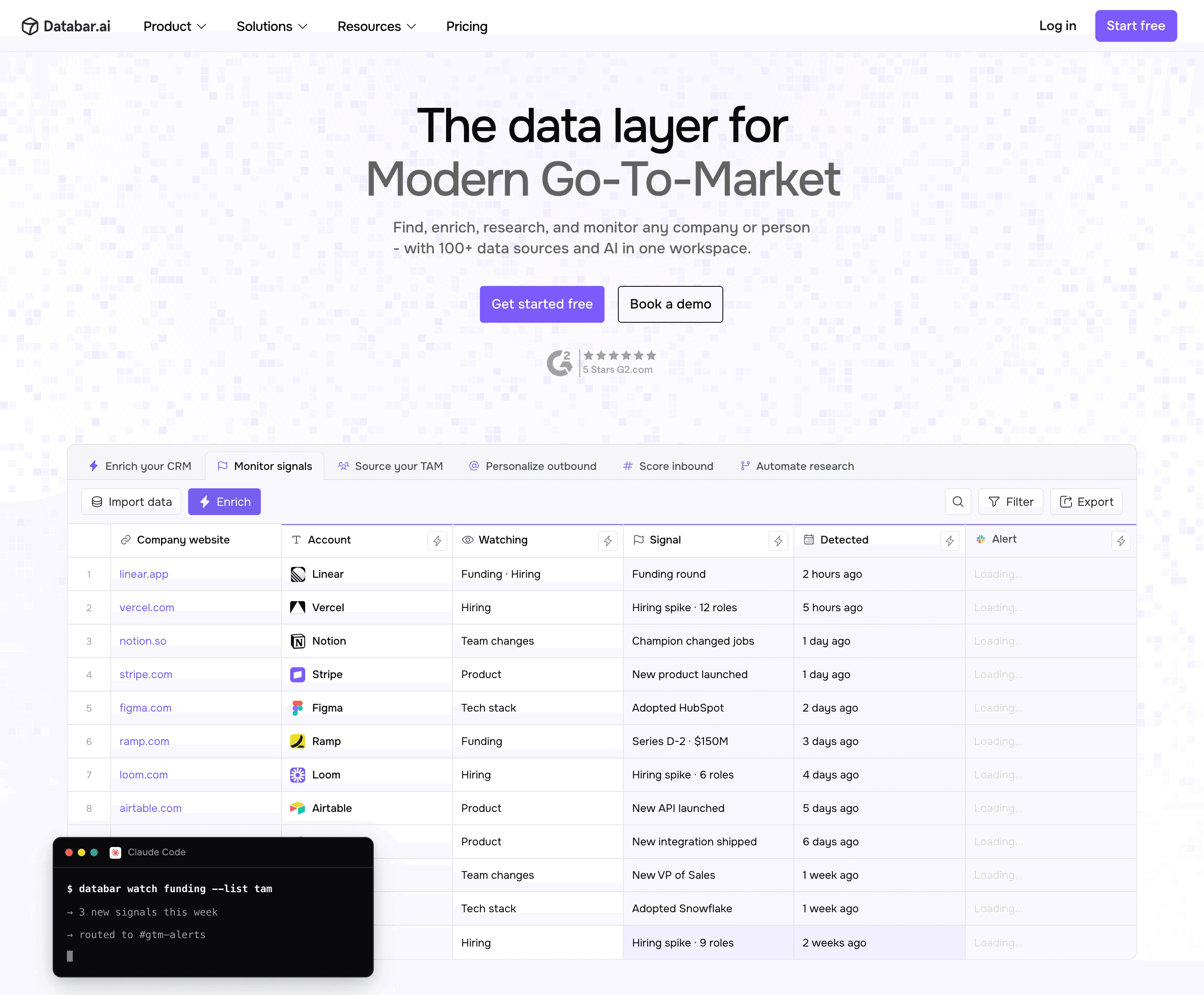
We run the same category, so here is the honest placement. Databar is an aggregator workspace with 160+ providers, waterfalls, AI research and CRM export, priced on one currency: plan credits, charged only when a provider returns a result. There are no action limits and no row limits, and the API, Python SDK, CLI and MCP server are on every plan, including the $99 Build plan. Clay has the bigger template library, the bigger community and a native sequencer; Databar doesn't.
Moving is a known path rather than a project. Clay exports every table to CSV and Databar imports it, waterfalls rebuild one to one because the providers overlap, onboarding includes build hours with a GTM engineer, and if you leave Clay with credits unused, Databar matches them one for one. The side-by-side puts the same workloads on both bills, build your enrichment stack in a weekend is the plan most teams follow for the first week.
➔ Start free · 14-day full-product trial. No data, no charge.
Frequently asked questions
How much does Clay cost per month?
Free is $0 with 100 data credits and 500 actions. Launch starts at $167 a month billed annually, or $185 monthly, with 3,000 data credits and 15,000 actions. Growth starts at $446 billed annually, or $495 monthly, with 6,000 credits and 40,000 actions. Enterprise is custom with an annual commitment.
Is Clay worth it in 2026?
For a team with a dedicated operator that uses the sequencer, the audiences and the template library, yes. For a team that wants enrichment with an API and one bill, the $446 tier and the action meter make it hard to justify against the alternatives.
What is the difference between Data Credits and Actions?
Data Credits buy lookups from the provider marketplace. Actions pay for platform work: workflow steps, AI calls, CRM syncs, exports and HTTP requests. A single row can consume many actions and zero credits if no provider is called.
Does Clay charge for lookups that return nothing?
Data Credits burn only on returned results. Actions are spent regardless, because they meter the step, not the outcome.
Does Clay have a free trial?
Clay has a permanent free plan rather than a trial: 100 data credits and 500 actions a month, with tables capped at 200 rows. It is enough to learn the interface and not enough to test a real list.
What is the cheapest Clay plan with API access?
Growth, at $446 a month billed annually or $495 monthly. HTTP integrations left the lower tiers in March 2026. Databar includes the API, SDK, CLI and MCP on its $99 plan, if that is the deciding factor.
Does Clay have an API?
Yes. HTTP API integrations are included on Growth and Enterprise, and Clay added an agent plugin with API and CLI access in 2026. Free and Launch don't include HTTP integrations since the March change.
Clay vs n8n: which one do I need?
They do different jobs. n8n orchestrates, Clay buys and orchestrates. If you already run n8n, add a data layer to it rather than a second orchestrator; the Databar n8n node exists for that.
Is Clay worth it for a small team?
If the team is one operator who enjoys building and the volume is modest, Launch is fair value. If the team needs outreach in the same tool, Apollo is usually cheaper per seat; see Clay vs Apollo. If it needs enterprise data depth, see Clay vs ZoomInfo.
How do I move from Clay to Databar?
Export your tables to CSV, import them, rebuild the waterfalls in the same provider order, and connect the same CRM. Onboarding includes build hours with a GTM engineer, and unused Clay credits are matched one for one. Most teams are running the first workflow in a day.
What are the best Clay alternatives?
Ten of them, with prices, are in Clay alternatives compared.
Related reading
Want to see the same workflow on Databar? Book a founder demo.
Recent articles
See all






